 Piyush Grover
Industry — Technology
Internal Commission Tool for LinkedIn Sales Teams
Redesigning the landing and team-management flows of an internal commission tool for LinkedIn sales teams — clarity that leadership could trust.
01Project Background
A Fragmented Commission Process
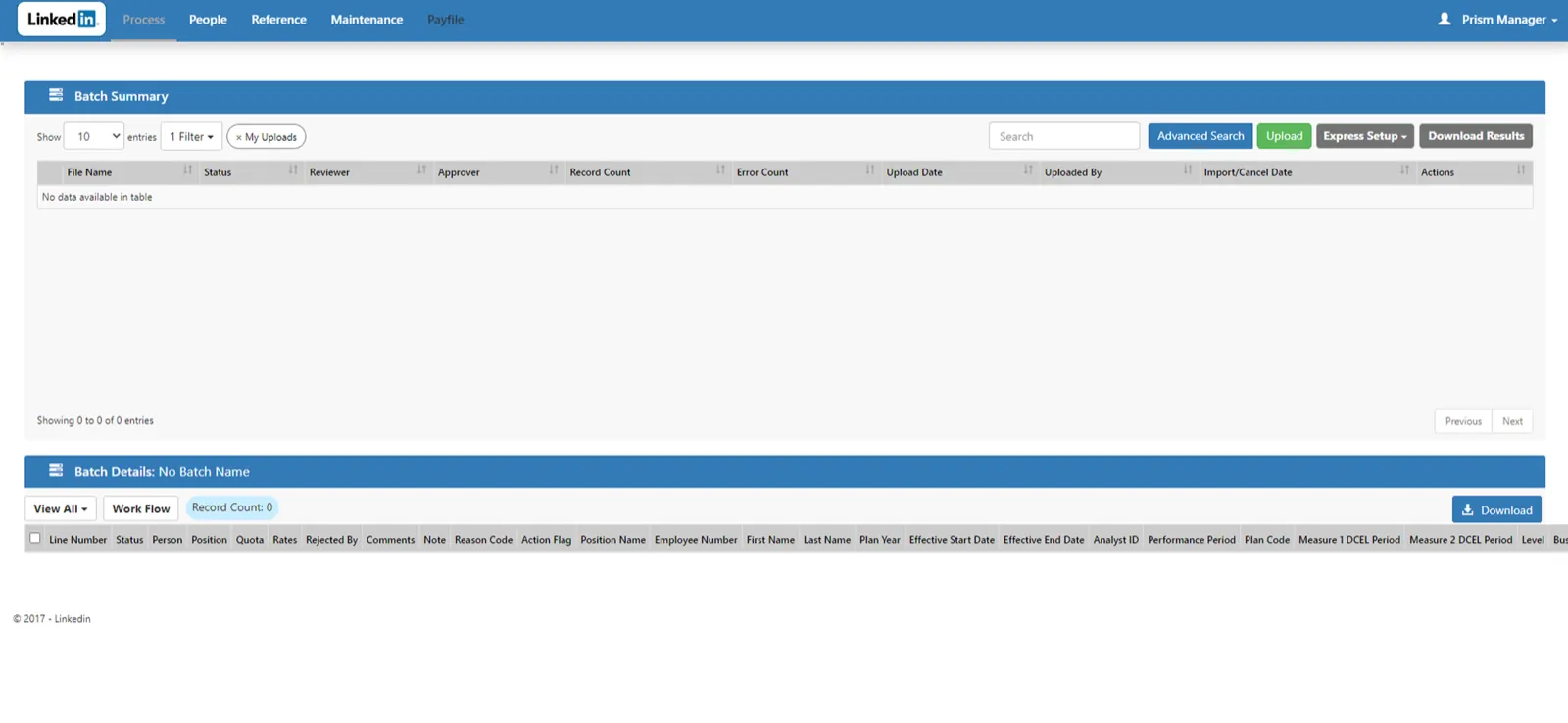
LinkedIn's sales teams were struggling with a fragmented commission calculation process that pulled data from multiple sources including HR systems and compensation databases. Sales representatives and leadership needed a centralized platform to accurately track performance metrics and manage team compensation plans, but the existing system was cluttered and inefficient.
02Project Goals
Simplify, Centralize, Clarify
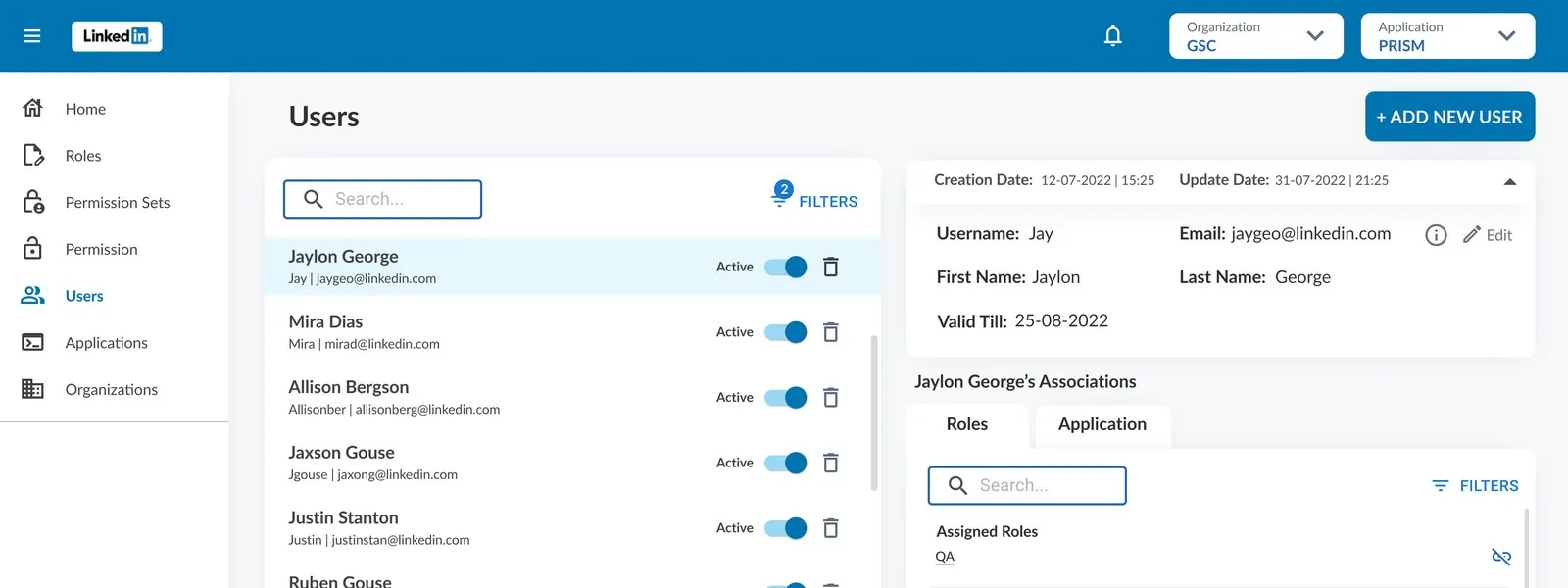
- De-clutter and simplify the landing page for ease of navigation
- Enable seamless creation and management of new teams and their members
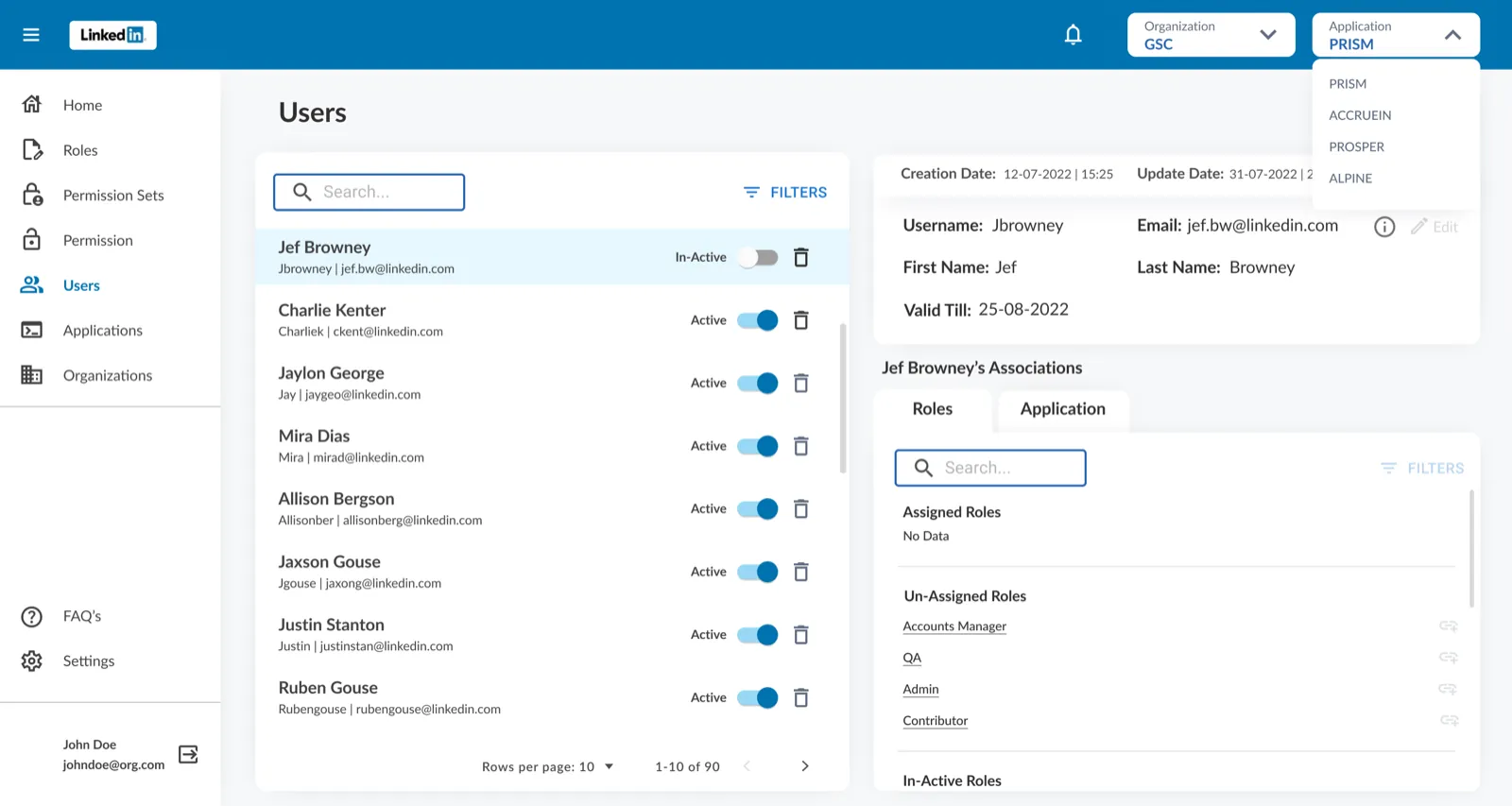
- Assign and manage roles efficiently within the platform
- Ensure data visibility and interaction were intuitive and accurate for sales operations
03Key Contributions
What I Delivered
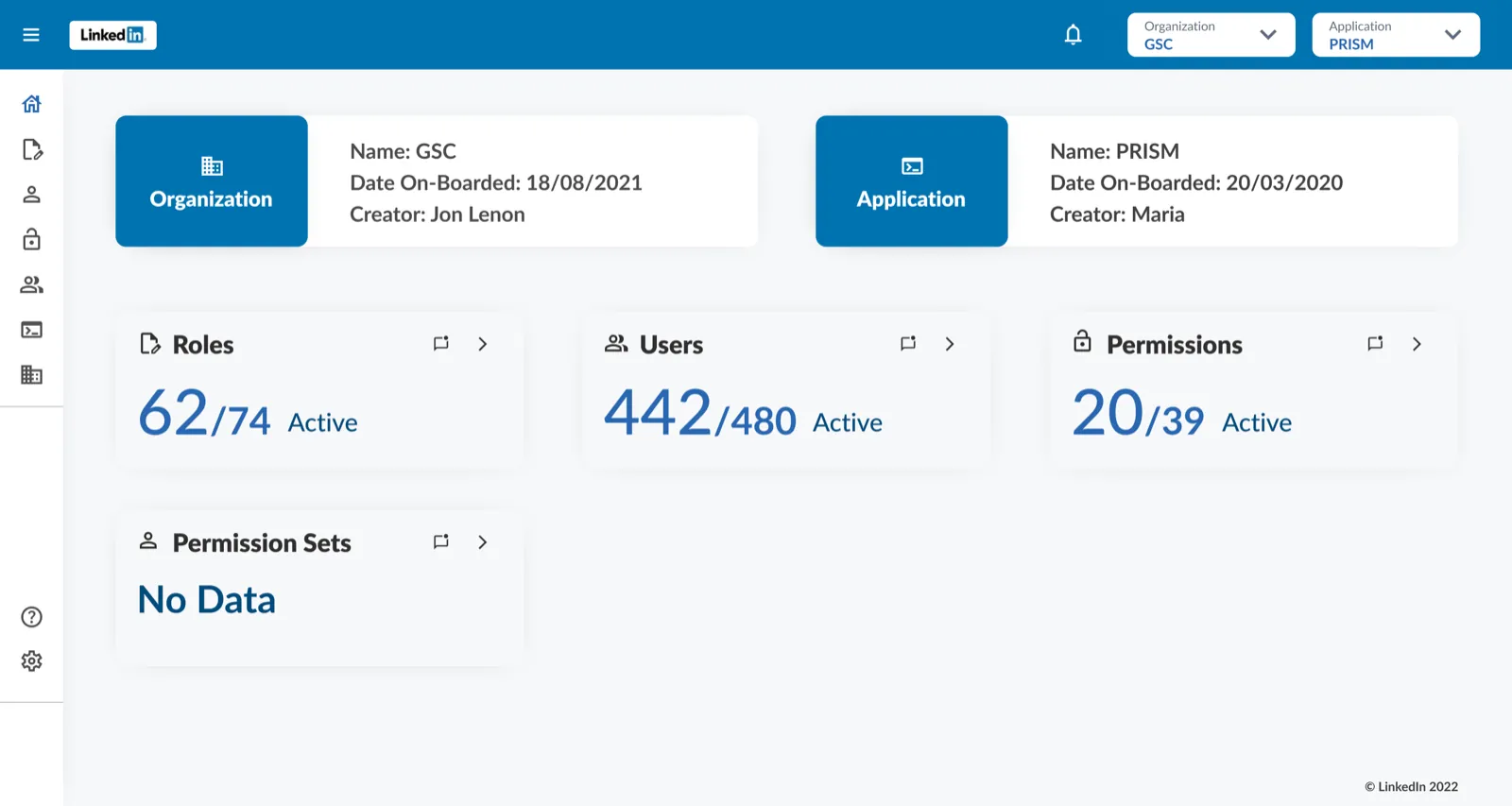
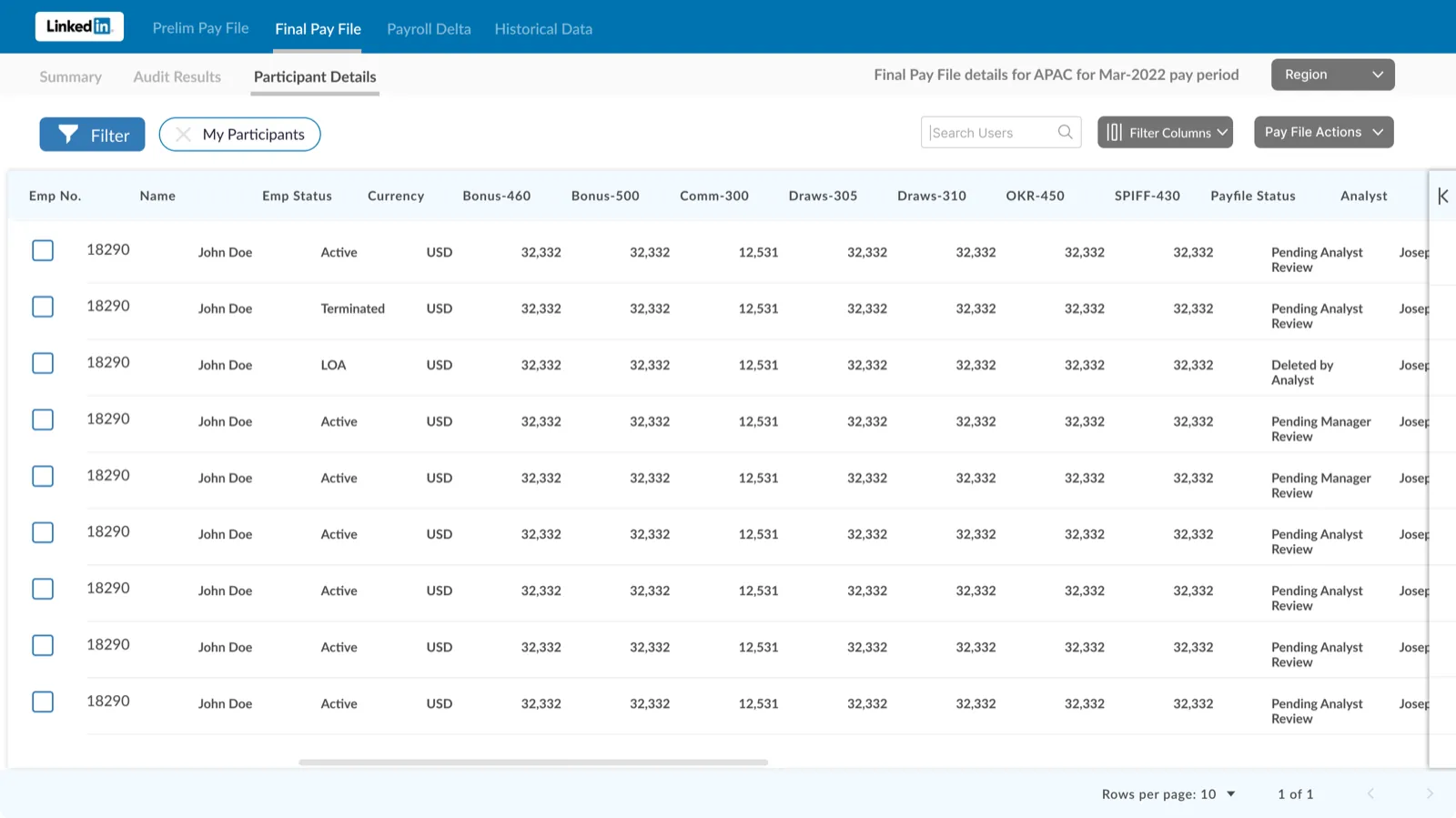
- Redesigned the landing page with a clear visual hierarchy to present key performance data upfront
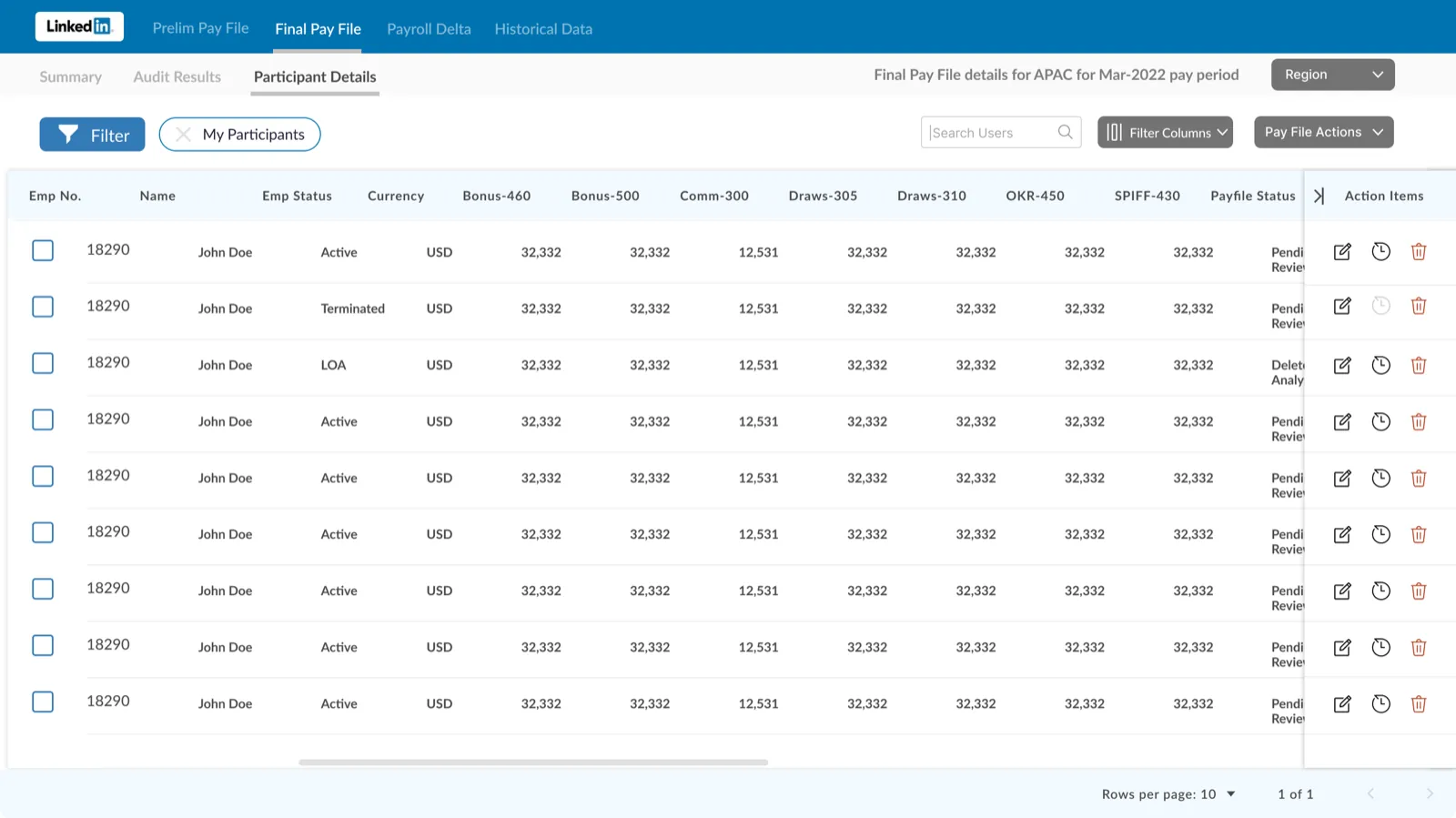
- Introduced new functionality to create, edit, and manage teams and team members
- Created streamlined forms to assign roles within teams, with intuitive dropdowns and auto-complete features
- Worked closely with senior leadership to align design with strategic business goals
- Delivered all designs and handoffs in Figma
UX & UI Considerations
Since I was the only designer on the project, I focused on:
- Keeping the interface minimal and clean to reduce cognitive load
- Ensuring consistent use of spacing, typography, and iconography for a cohesive experience
- Prioritizing data legibility and readability (e.g., tables with sticky headers, collapsible filters)
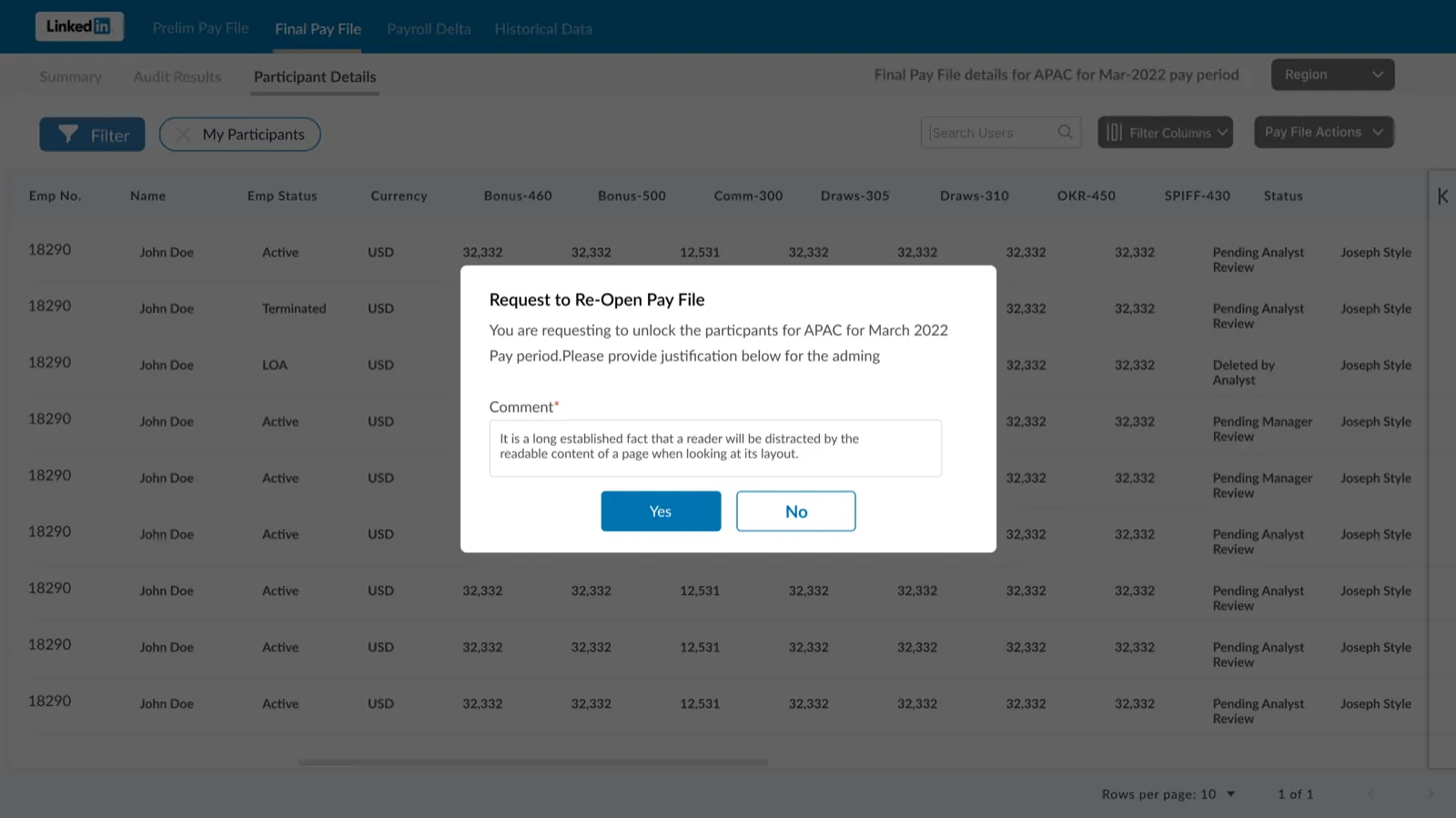
- Including inline feedback for actions (like role assignments and team updates)
- Adopting intuitive flows for user management without deep navigation
Collaboration & Process
- Worked independently, but in close coordination with the product manager and senior stakeholders
- Participated in regular design reviews and incorporated iterative feedback from leadership
- Maintained version control in Figma and documented design rationale for smooth developer handoff
04Existing Screen
05Redesigned Screens
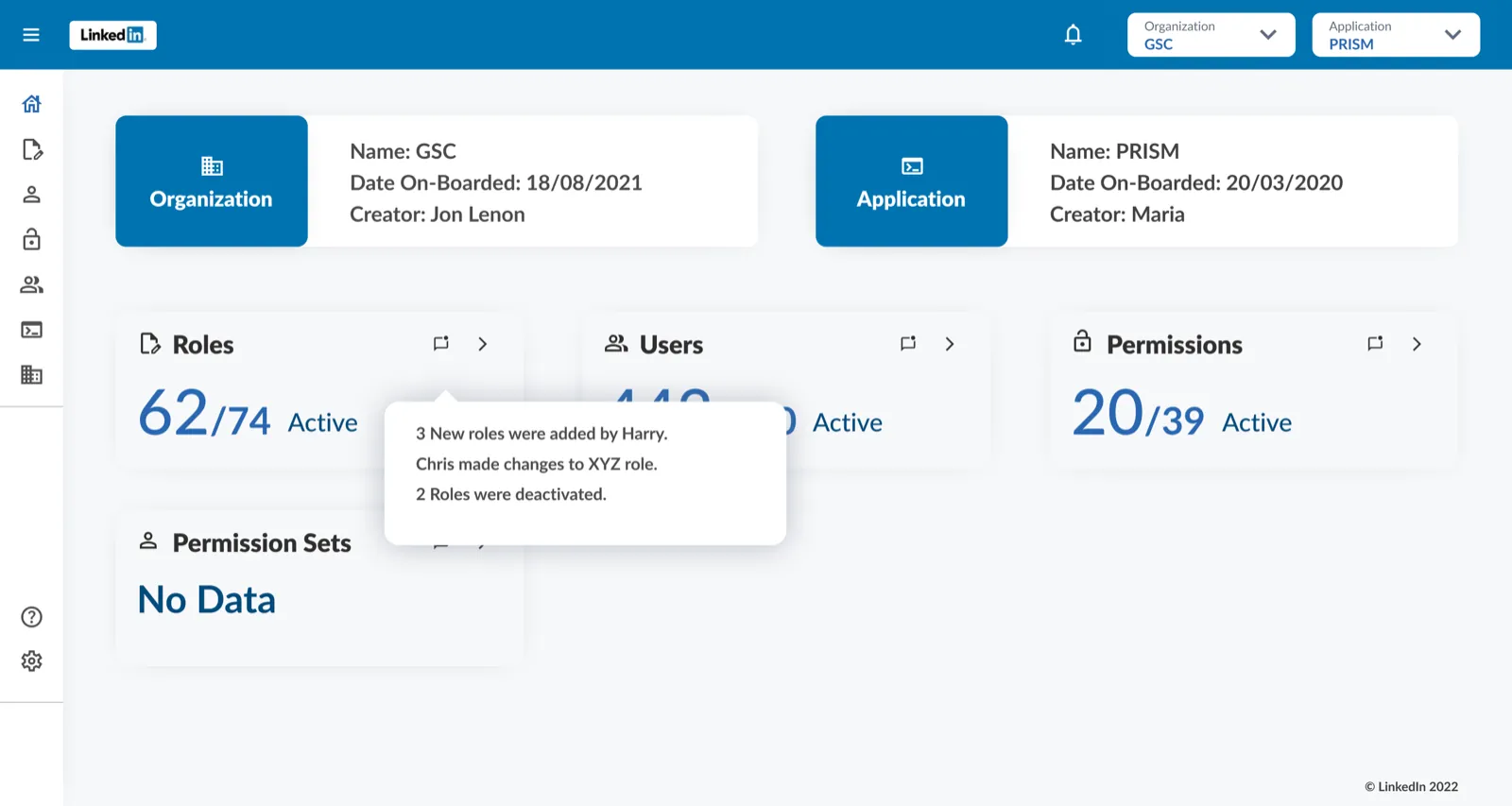 BeforeAfter
Drag to compare — legacy vs redesigned
06Outcome & Feedback
Clarity That Earned Trust
- The redesigned landing experience was praised for its clarity and professionalism
- New team management flows improved operational efficiency and reduced reliance on manual processes
- Leadership commended the design for aligning with internal branding and enhancing user trust
- The project was completed within scope and helped set a foundation for future enhancements